How To Embed Your Form In GoHighLevel
1.) Copy the embed code - If you haven't already, copy the standard embed code to your clipboard, from the Growform "Share form" page.
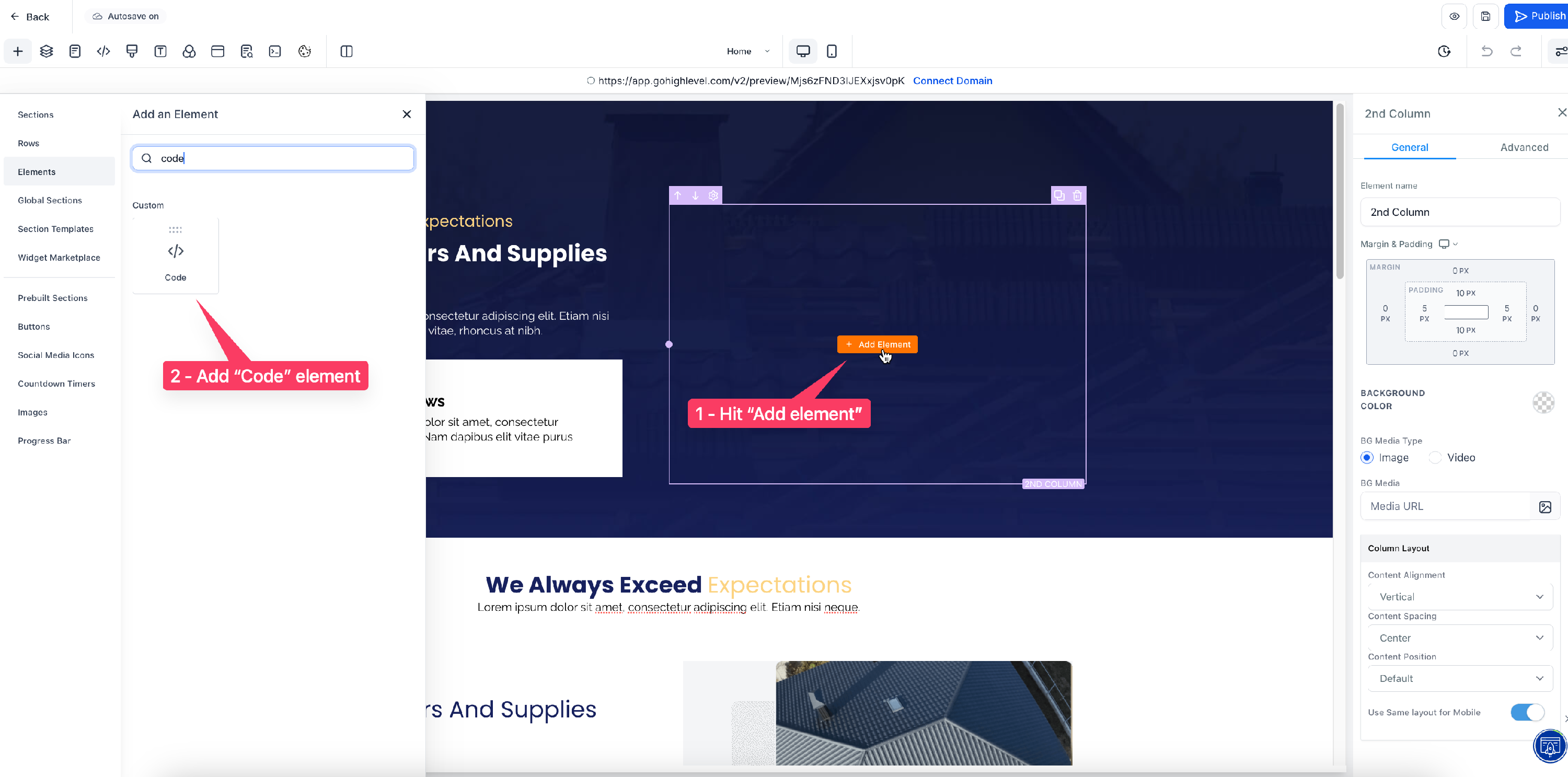
2.) Open up the HighLevel landing page builder, under "Sites" in your chosen sub-account. Find an empty space and hit the orange "Add element" button, before searching "Code" in the left and hitting the "Code" element:
3.) Drag the code element to your chosen slot, and then hit "Open code editor" on the right-hand side. Paste your Growform code into the box. Hit "Save", and then the "eye" button in the top-right corner to preview your page. You should now have your form embedded in HighLevel:
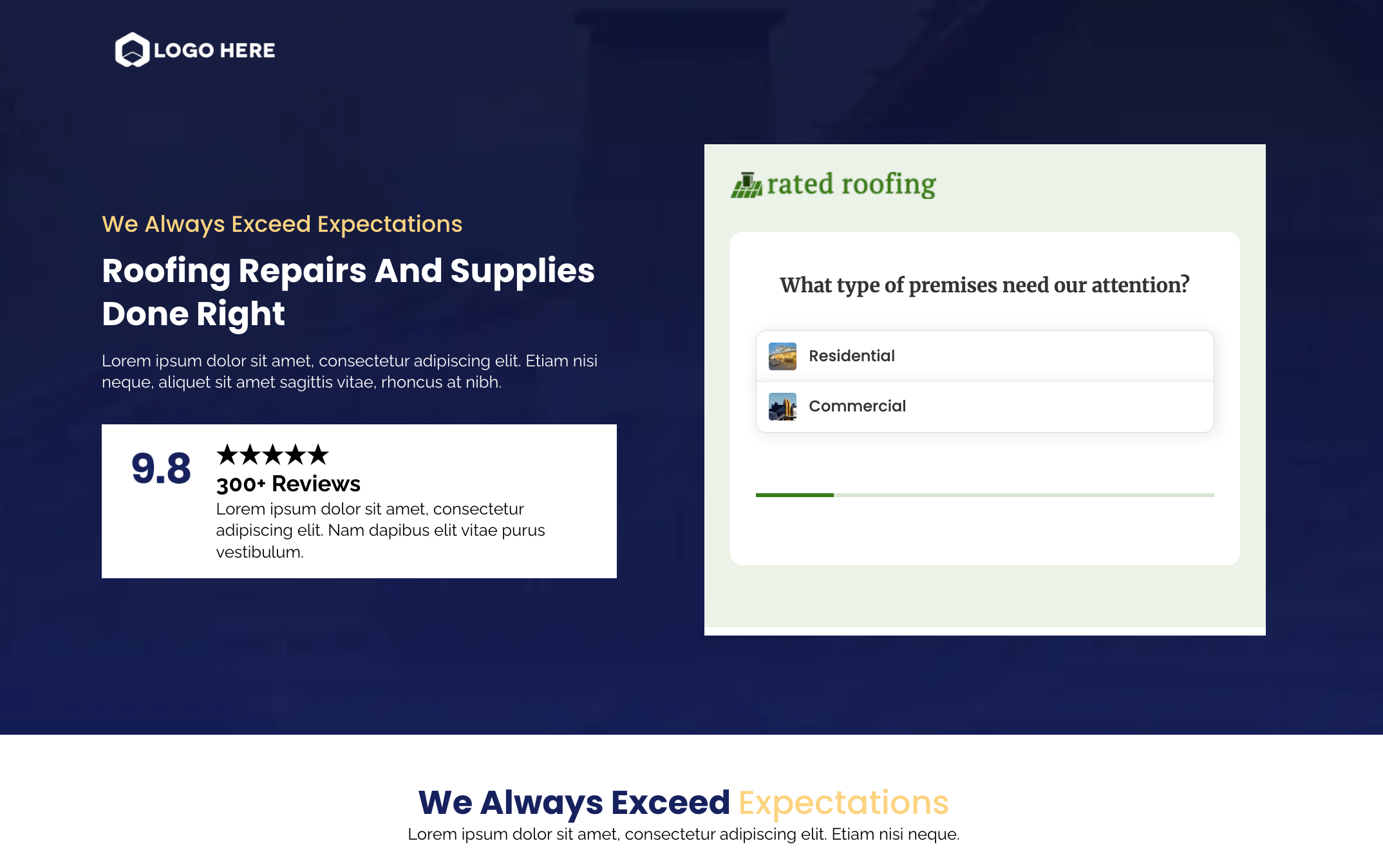
4.) Make some styling tweaks
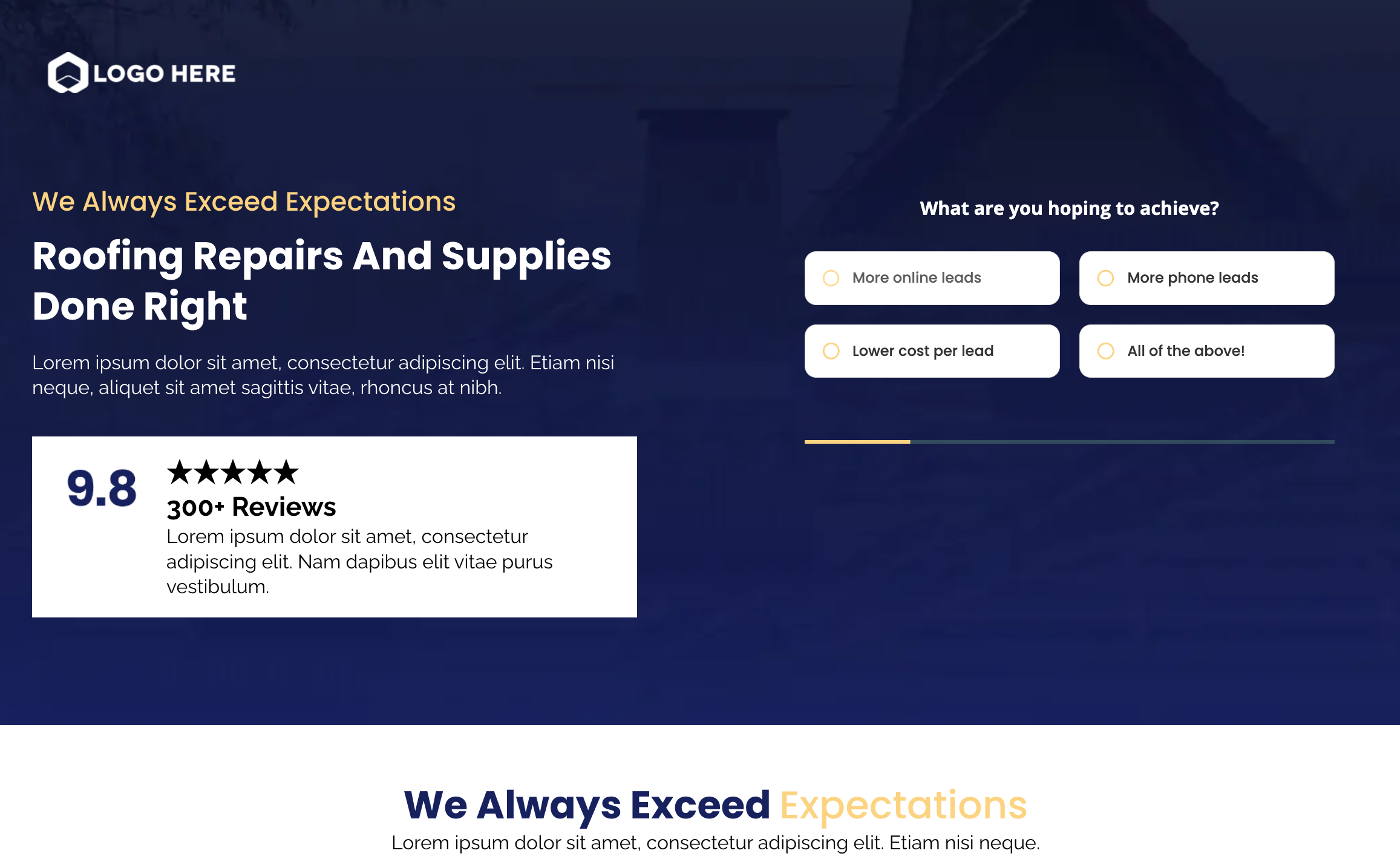
You may need to adjust some theme settings in Growform to get the form looking just right in Highlevel:
- In Growform’s “Theme” settings, choose Minimal under canvas setup – this option removes the header and surrounding padding.
- Once you’ve chosen canvas setup, set the canvas background color to match the background color in Highlevel, or choose “None” to make it transparent.
- Remove any headers, instructions or logos at the top of your Growform form – you can always have these in Highlevel.
- Set “Show shadows” to “None” – these work best on white backgrounds only.
- Adjust your form’s primary color (which affects progress bars and accents), as well as the range of other colour settings.
With a few simple adjustments, we can get the form embedded seamlessly into the Highlevel landing page:
5.) Send your leads somewhere!
At this point, your form is embedded on the page, but the leads will of course only appear in Growform. There are a few ways to get the data out:
- Use webhooks to send leads from Growform to Highlevel (video here)
- Use Zapier to send leads to Highlevel via Leadconnector (Start here - "Leadconnector" is by Highlevel)
- Set up email alerts for your Growform form
FAQs
Q: The Growform form isn't as wide as I expected - how do I get it to take up more space?
A: Growform will always try to take up as much space as is given to it, so it is most likely that you need to increase the size of the surrounding element in the landing page builder. Failing that, you may need to increase the "Form width" under "Theme settings" in the Growform builder.
Q: How do I remove the space around my form to make it more compact for embedding?
A: In theme settings, you should choose minimal canvas set-up, which removes the header/footer and unnecessary spacing around your form. Under "form presentation" in theme settings, you can also reduce the padding on the top, bottom or sides as you wish.