How to Add Your Form As A Pop-Up In Leadpages
- In Leadpages, create a button or find an existing one. There's no need to add a click event, so if you do have one already, remove it. Save your changes and preview the page.
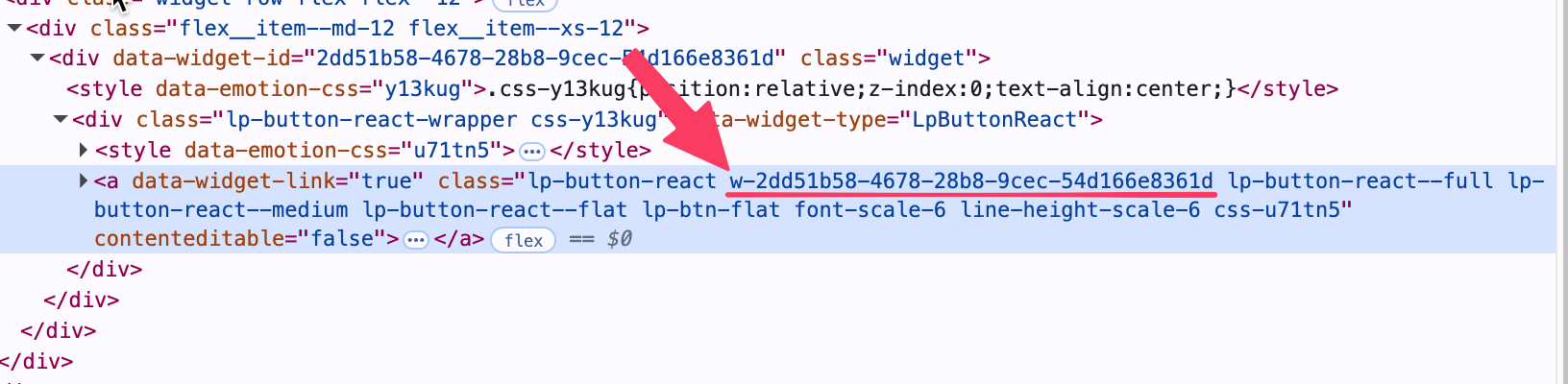
- Open "Inspect element": Go into preview mode, on Leadpages, right click the button you wish to activate the pop-up, and hit "Inspect" or "Inspect element" in your browser's right click menu.
-
Find the button's unique class name: You'll find a long, unique text value separated by dashes in the selected (blue) area. In this example, the class name would be "w-2dd51b58-4678-9cec-54d166e8361d". Copy this to your clipboard.
- Add an HTML widget to your Leadpages page, and paste the Growform pop-up code - the code can be placed anywhere on the page after your button, and is necessary to show the pop-up when the button is clicked.
- Tweak the Growform pop-up code: Find the text "myButton123", and replace this with the class name you took note of in step 3. The finished code should look like this:
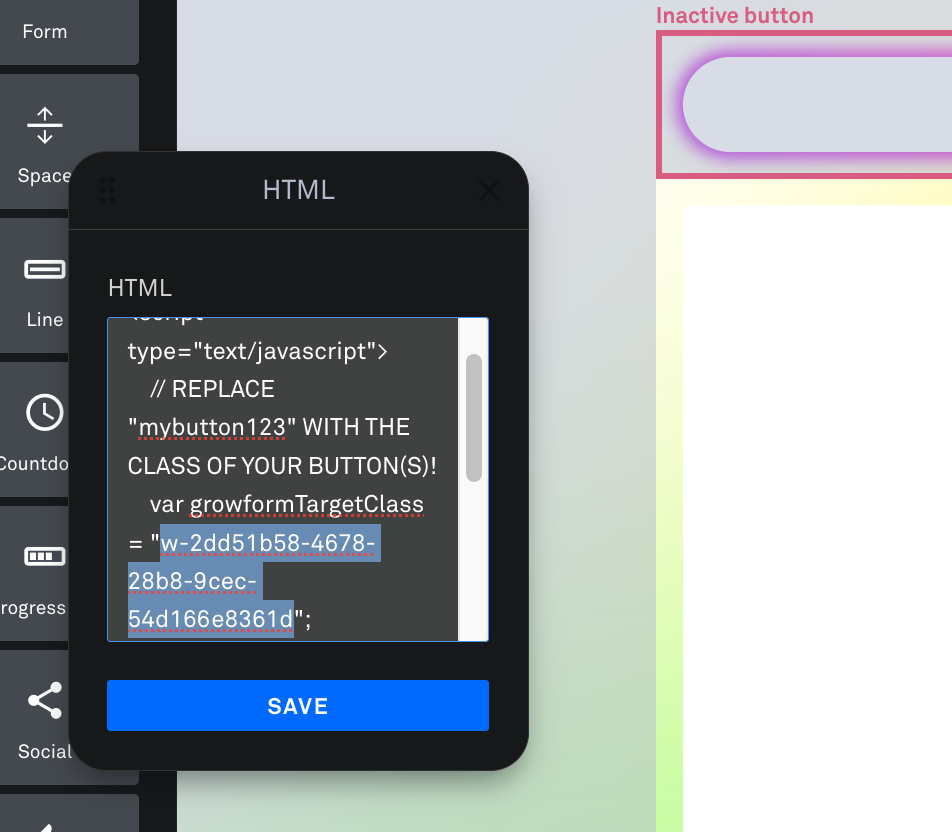
- Save your changes, preview your page, and hit the button to see your Growform form as a pop-up!
FAQs:
Q: My pop-up isn't showing - why isn't it working?
A: First, check that "growformTargetClass" in your embed code corresponds to the class name on the button (i.e. it is not still "myButton123"). It is also essential that the pop-up code appears on the page after the button or triggering element, so try adding this further down the page.
Q: Are there any other ways to achieve a pop-up?
A: Yes. The simplest way would be to simply send users to your form's share link, and set this to open in a new tab. Alternatively, some customers choose to create a pop-up or overlay in the Leadpages pop-up editor, and embed our standard HTML code into that space. This can give more control over the layout of the overlay and allow for more advanced triggering.
Q: Can I have multiple buttons on one page, pointing to the same pop-up form?
A: Yes - simply give each button the same class name ("open-growform" in the above examples), and ensure the pop-up code is added only once, at the end of the page.